Tobsy

Spending awareness · in your own Google Sheet

Know where your money goes. Keep it to yourself.

Tobsy is a spending-awareness app you fill in by hand — a few taps per purchase. It lives in a Google Sheet in your own Drive. No bank connection, no account, no subscription. Thirty days free, then one payment, and it's yours for good.

No card. No password. An email address, and you're in.
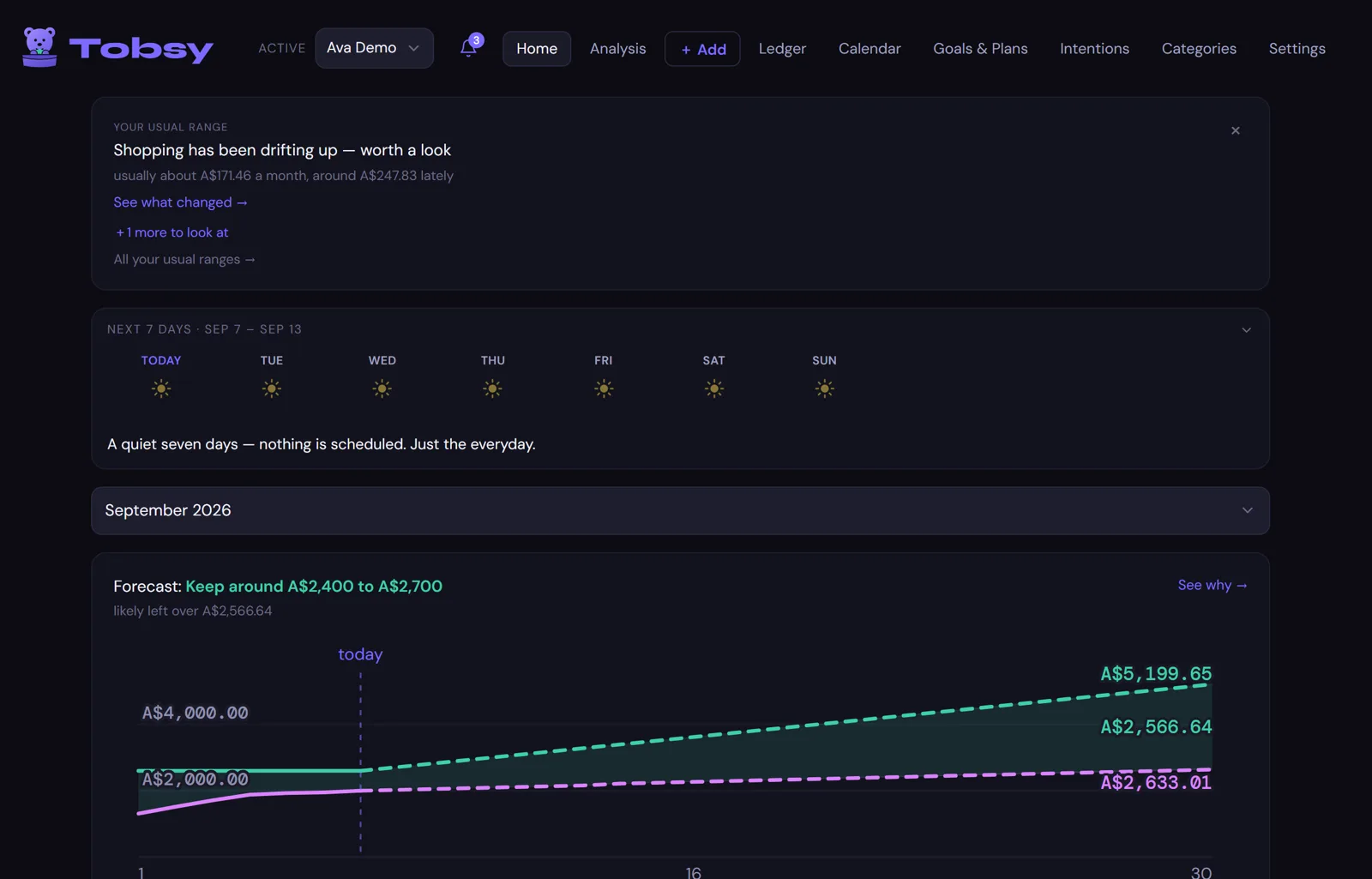
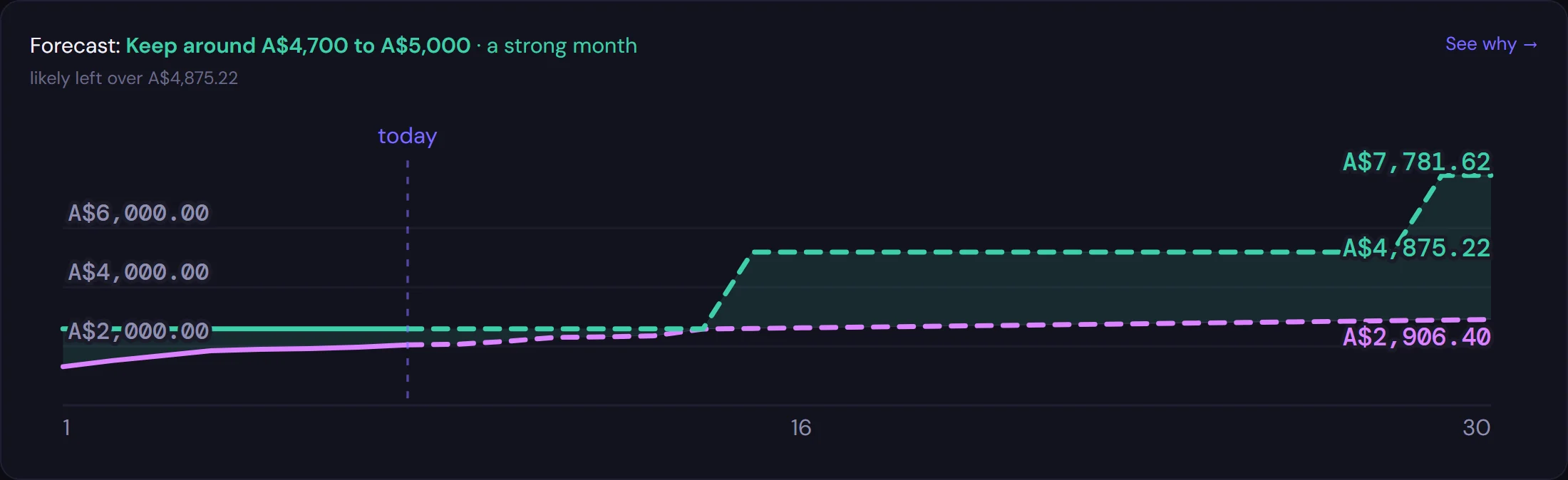
Tobsy's Home screen on a laptop: a usual-range note, the next seven days, and this month's forecast band.
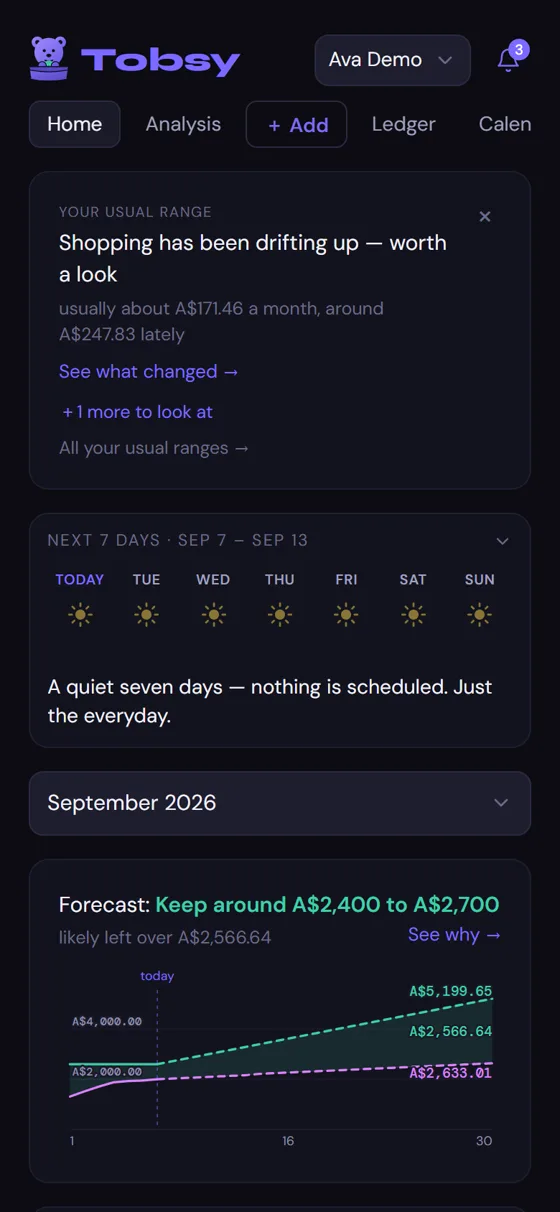
The same Home screen on a phone.

One app, every screen you own

What you see on the laptop is what you see on the phone.

Same code, same numbers, same buttons. Nothing is desktop-only and nothing is a cut-down mobile version — Tobsy installs on your phone from the browser and works like an app.

Home

Your month, at a glance.

Income, spending, and what you kept. A seven-day look ahead. A forecast that shows its spread instead of pretending to a single number.

Home on a laptop.
Home on a phone.
Ledger

Every entry, and nothing hidden in it.

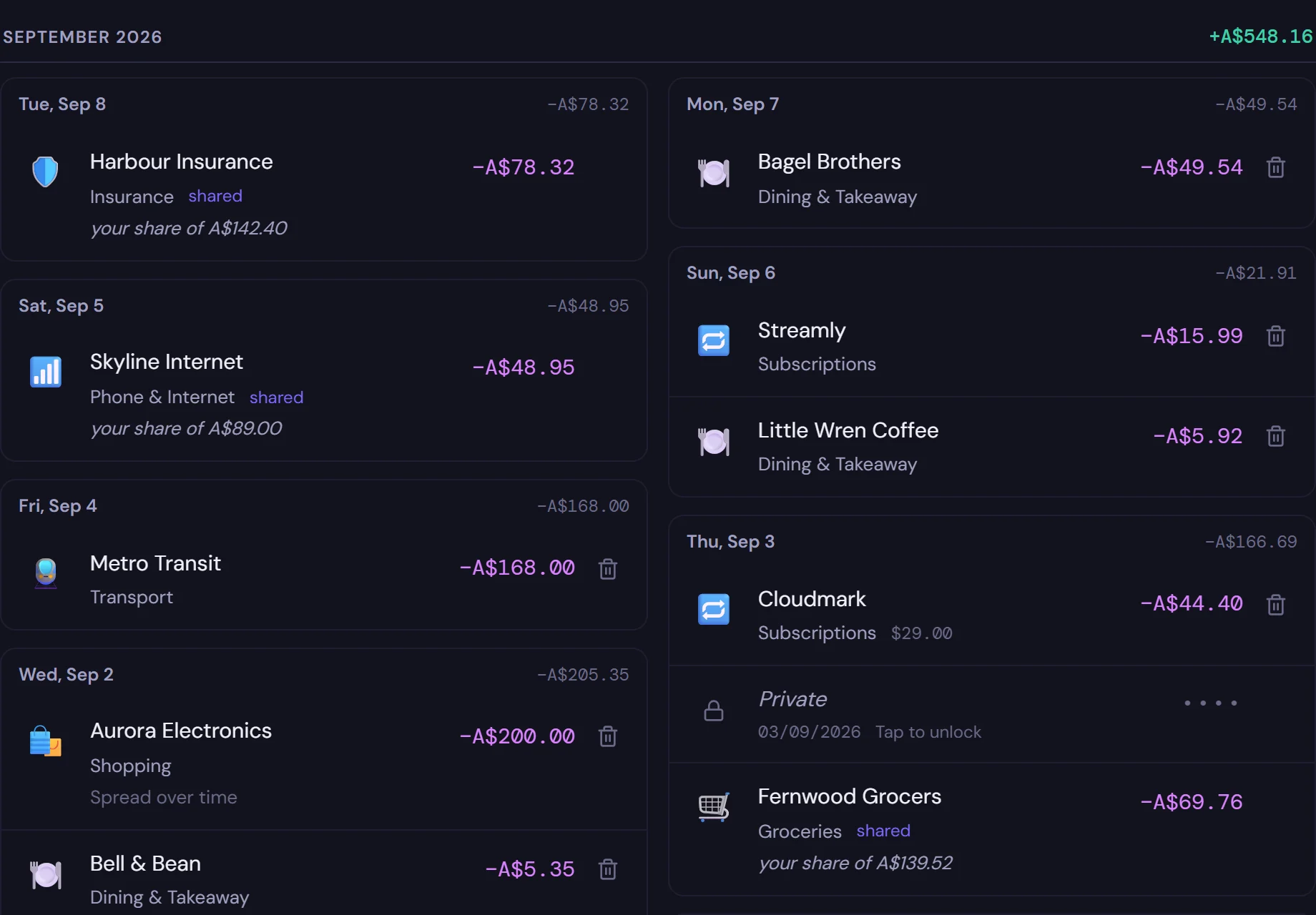
Filter by date, type, merchant, category, fund or tag. Shared costs show your share. Private rows stay behind a PIN until you unlock them.

The ledger on a laptop, with the filter panel open.
The ledger on a phone.
Analysis

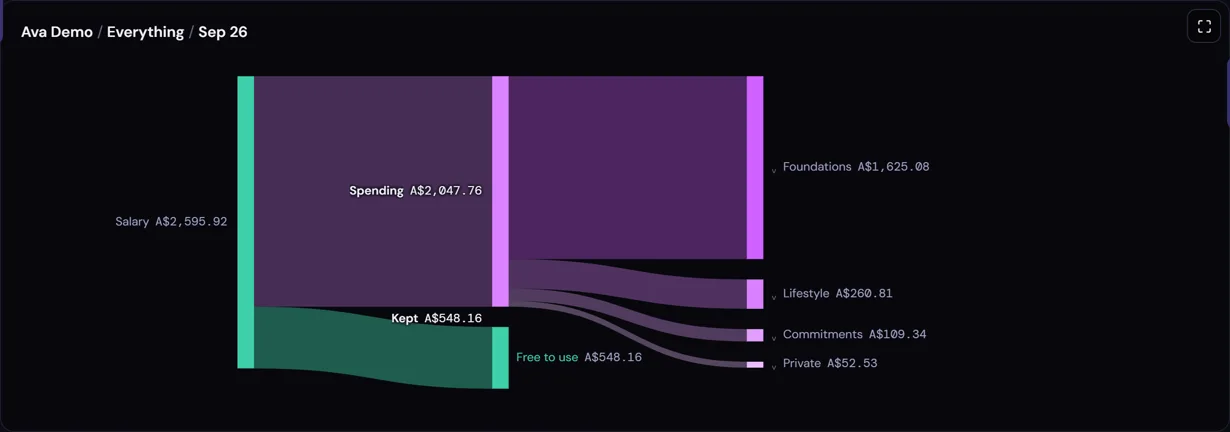
Where it all went, drawn as a flow.

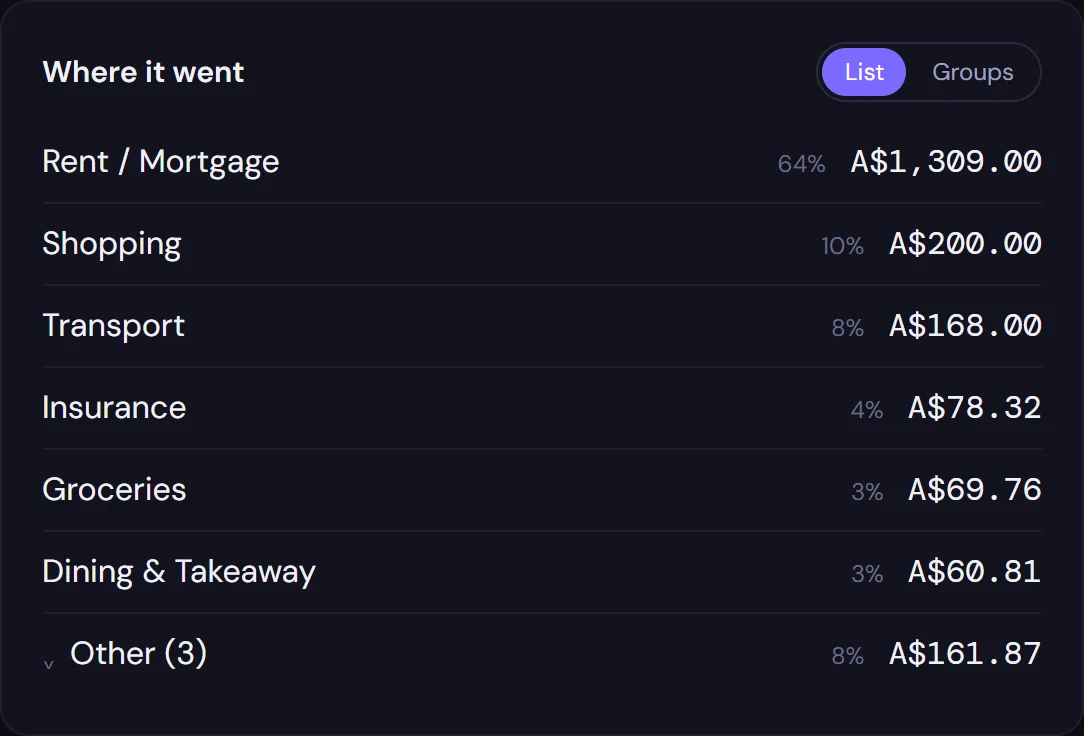
Income on the left, where it ended up on the right, what you kept in between. Change who, what and when. Compare two people, two years, or two categories side by side.

Analysis on a laptop: income, spending and kept tiles above a flow diagram.
Analysis on a phone.
Add

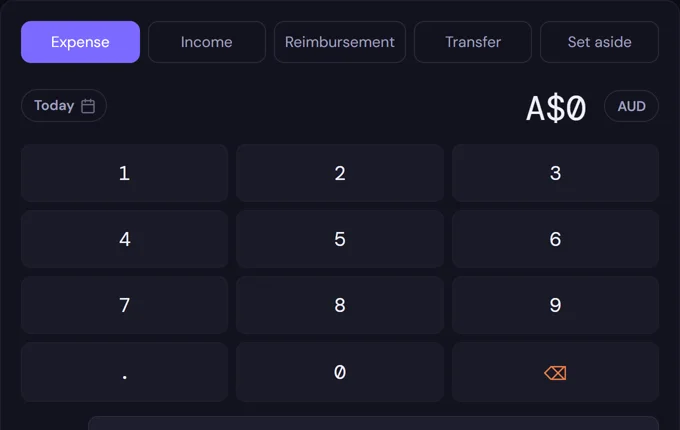
A purchase takes a few taps.

Amount, category, done. Bulk-enter a whole week on one grid, paste a bank statement, or import a screenshot — Tobsy learns your merchants as you go.

The Add screen on a laptop.
The Add screen on a phone, with its number pad.
Calendar

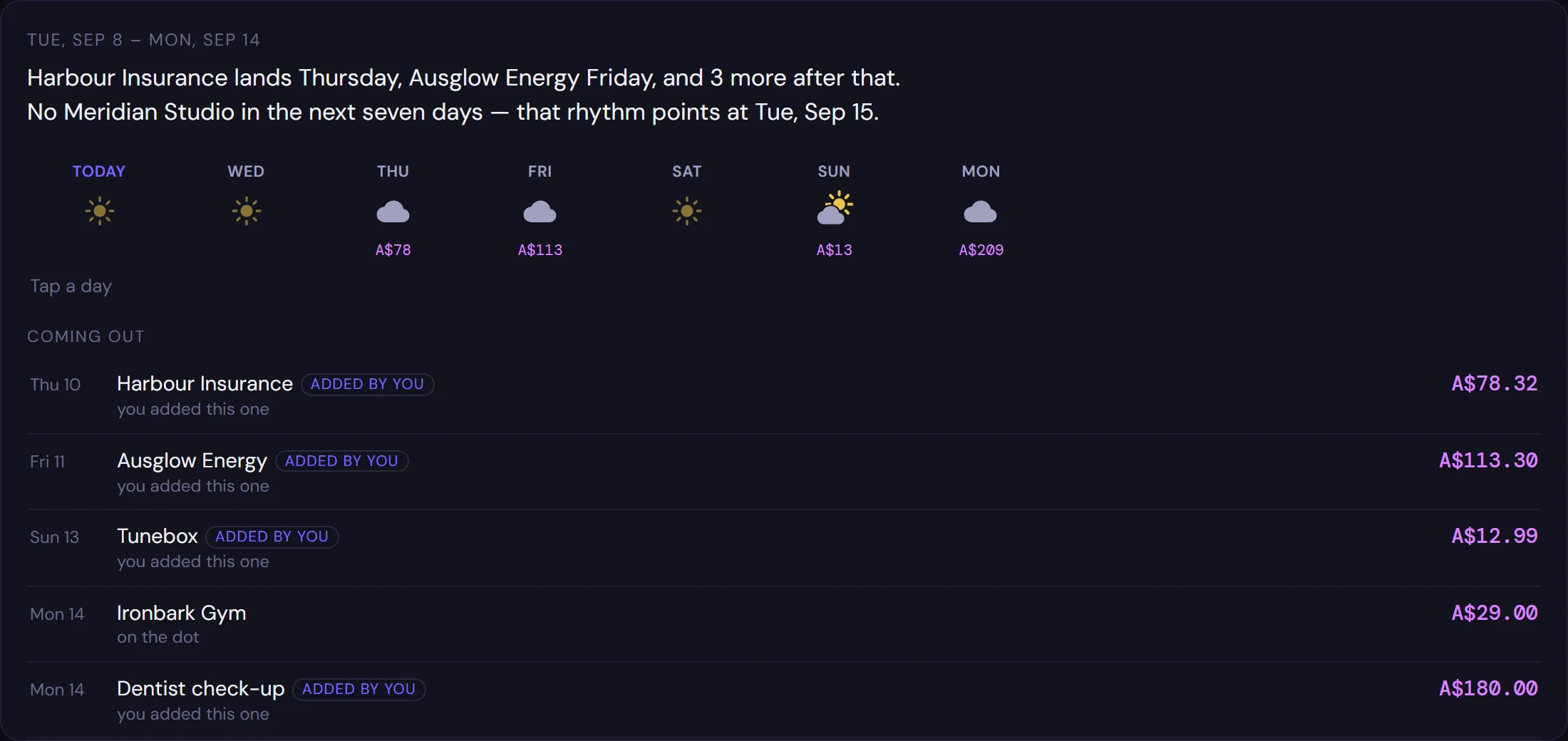
What's coming, before it comes.

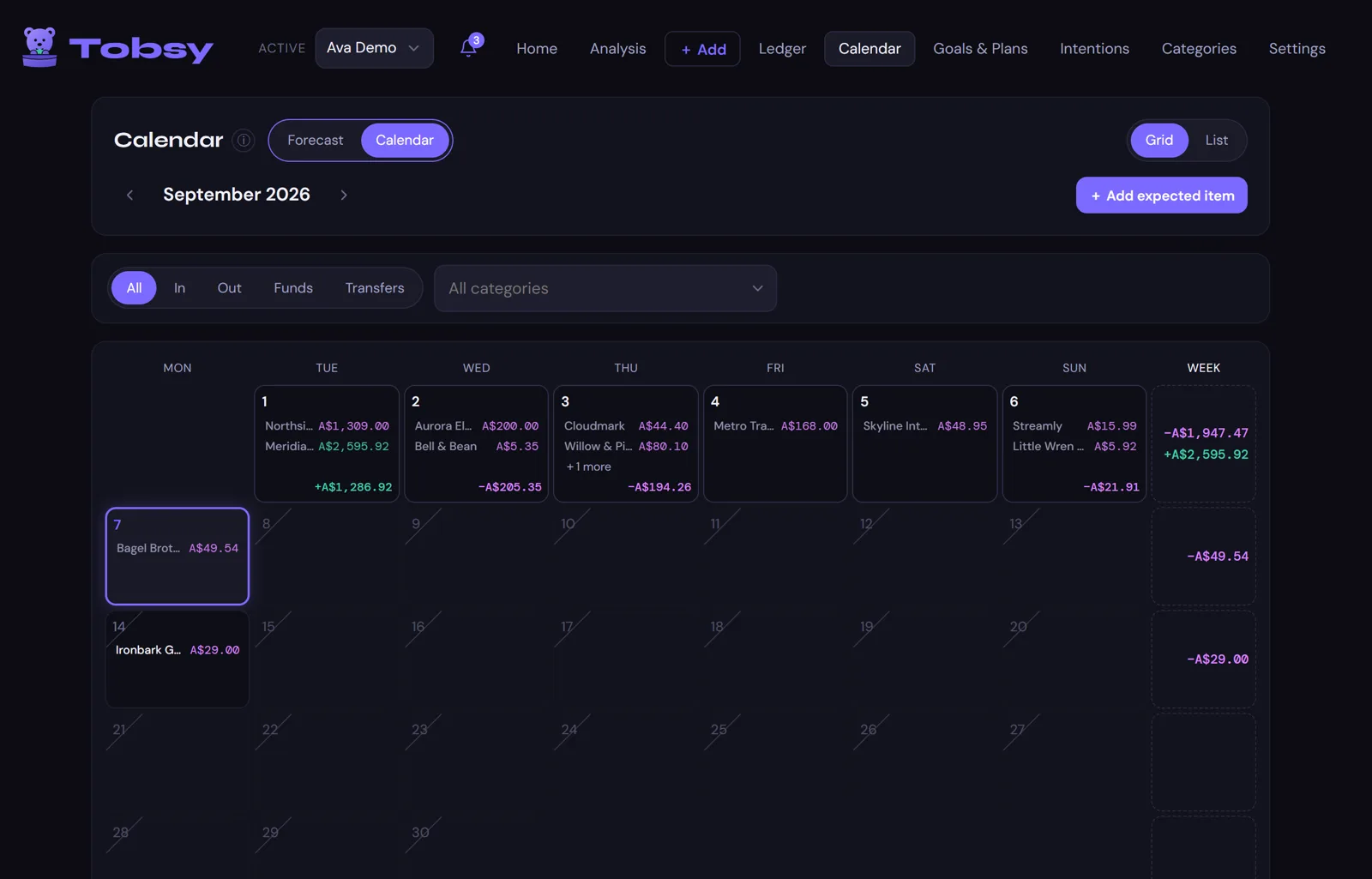
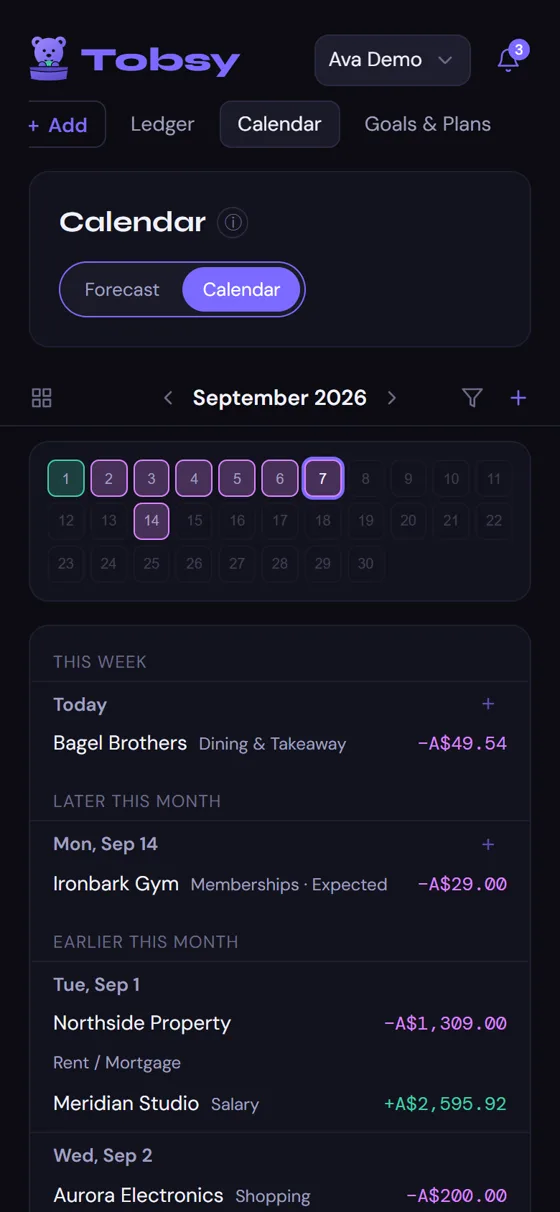
Bills that usually land, pay days, planned instalments and the things you've told it to expect — on a calendar, and as a plain week-ahead note.

The calendar on a laptop.
The calendar on a phone.
Intentions

Not a budget. An intention.

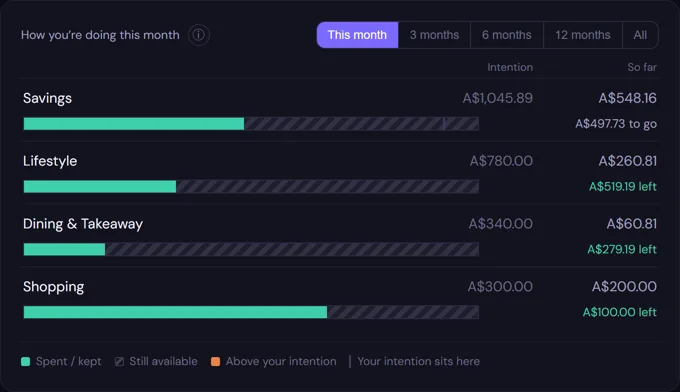
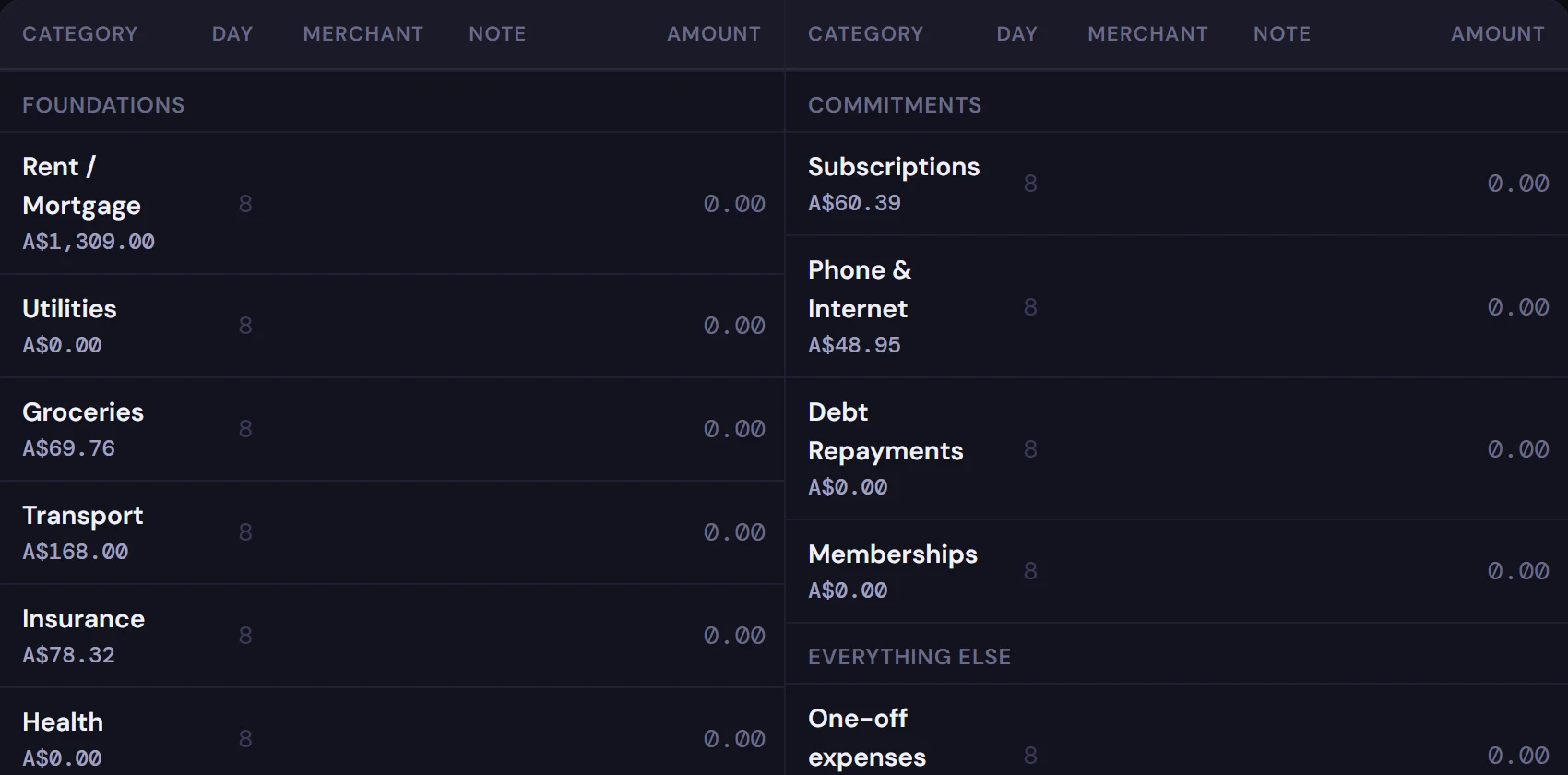
Set a ceiling for a category, or a floor for what you keep, and watch it calmly. Tobsy tells you where you sit. It never scolds.

Intentions on a laptop: four rows with a bar each.
Intentions on a phone.
Goals & Plans

Money set aside, and costs spread over time.

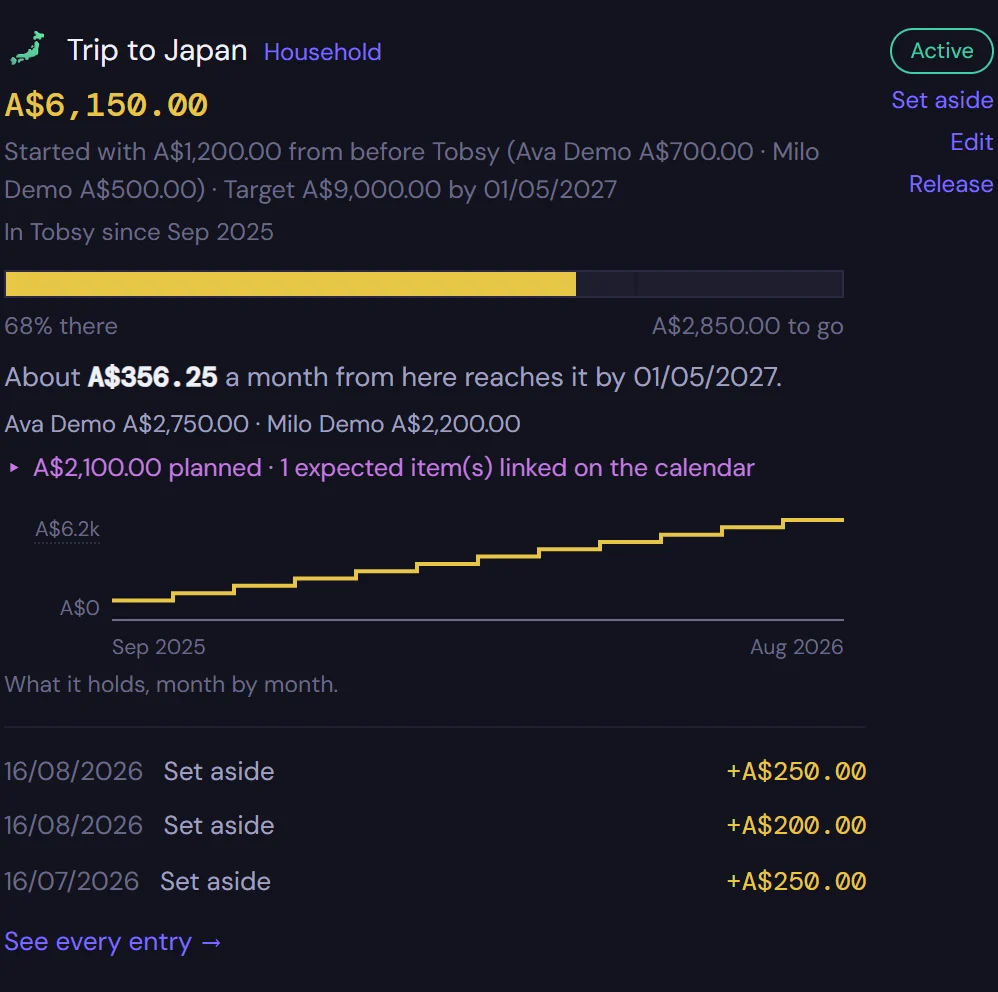
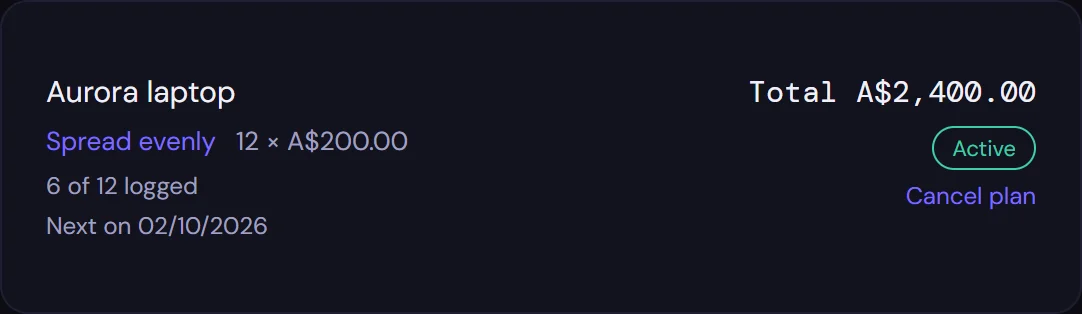
A trip fund that shows what it holds month by month and when it gets there. A laptop paid in twelve — each instalment logged as it happens, never counted twice.

Goals and Plans on a laptop: a trip fund and a pay-over-time plan.
Goals and Plans on a phone.

What's inside

Everything you need to see your money clearly. Nothing to manage.

Quick entry

Expense, income, transfer, a refund, or money set aside. Five kinds of entry, and every number in the app comes from them.

Statements & screenshots

Paste a statement or drop in a screenshot from your banking app. Review the rows, fix what's wrong, and import — nothing enters until you say so.

Two people, one sheet

A household shares costs by a split you choose, sees who fronted what, and settles up. Income stays personal. Each person still has their own view.

Funds and goals

Set money aside for a trip or a rainy day. A fund shows what it holds, how far along it is, and when it gets there at your usual pace.

Usual ranges

Tobsy learns what a normal month looks like for each category and says, gently, when something drifts — up or down. Good news gets mentioned too.

Any currency

Spend in euros on holiday and it's recorded in euros, with the rate frozen on the day. Change your base currency later and history stays exactly as it was.

A private curtain

Mark a category private and its rows show as dots until a PIN is entered. Privacy between people who trust each other — not a vault, and honest about that.

Yours to take away

It's a spreadsheet in your Drive — open it any time. Export everything as a file whenever you like, and print a monthly or analysis report as a PDF.

Where your money data lives

In your own Google account. Nowhere else.

Tobsy has no database. Your entries are written to a spreadsheet in your own Drive, and the app reads them back from there. We can't see them — not as a policy, but because there is no path for them to reach us.

Your Google SheetEvery figure you ever enter. The only place your money data exists. You can open it, read it, and take it with you.
Your phone or laptopThe address of your sheet and a spare copy of your key, so the app opens quickly and knows it's allowed to run.
Google's permissionOne: to work in the spreadsheet Tobsy is attached to. Not your Drive, not your email, not your contacts.
This websiteNothing about you.
Our small key serverThe email you started with, a random trial number, a scrambled fingerprint of your copy, and whether you've paid. Never a figure, never a shop name, never a category.
If we disappearEvery paid copy keeps working, for good. Nothing expires, so there is nothing to renew and nobody to renew it with.

The whole of it, in plain words: privacy · terms.

Set-up · about ten minutes, once

Six steps, with a picture of every button before you have to find it.

Tobsy runs from a copy of a spreadsheet in your own Google account, so there's a one-time set-up. The guide walks you through it on a computer or on a phone — the steps change to match, and the last one does the wiring for you.

Make a copy

Copy the Tobsy sheet into your Drive. The original stays empty.

Open its script

Your copy carries a few plain lines of code. You won't read or change them.

Deploy it

Turn it on, once. Google gives your copy an address.

Say yes, once

Google asks for one permission: this spreadsheet. Nothing else, ever.

Paste the address

Into the guide. That's the last thing you type.

Tobsy does the rest

Makes the tabs, tucks in your key, and opens. Scan a code to set your phone up too.

Already set up on a computer? The phone needs no set-up at all — point its camera at the code the guide shows at the end.

One price

Thirty days free. Then pay once, and it's yours.

No subscription and no renewal. Someone who doesn't open Tobsy for a year opens it and it works. Two people in a household share one copy, so one payment covers both.

The shop opens with launch. The free trial is open now — and if you decide to keep Tobsy, you'll pay from inside the app when the thirty days are up. Nothing is lost in between.

Tobsy, for good

A$59once

  • Every screen, from day one. The trial holds nothing back.
  • Nothing to renew, no clock on something you've bought.
  • Two people, one sheet, one payment.
  • Your data stays in your Drive whether you pay or not.
  • Refunds on request. A refund simply stops the app.

Price in Australian dollars. Your card is charged in your own currency at the checkout's rate.

Questions

The things people ask first.

Is Tobsy a budgeting app?

No. A budget is a rule you set in advance and then get told off for breaking. Tobsy is about awareness: it shows you, calmly and honestly, where your money actually goes — and what you kept. If you want a target, you can set an intention for a category, and Tobsy tells you where you sit against it without ever scolding.

Does it connect to my bank?

No, and it never will. Entering a purchase yourself is the point — it takes a few taps and it's the moment you notice. For catching up, you can paste a statement or import a screenshot from your banking app, review the rows, and bring them in. Nothing reaches your ledger without you looking at it first.

Where is my data, really?

In a Google Sheet in your own Drive. The app in your browser reads and writes that sheet directly, through a small script that lives inside your copy. We have no server that stores your entries — there is nothing for us to see, sell, or lose. The one thing our server ever holds is the email you started the trial with and whether you've paid.

What happens on day thirty-one?

The app stops — properly stops, not a banner over a working app — and asks to be paid for. Everything you entered is still in your sheet, and you can download all of it whether you pay or not. Paying takes about a minute and puts you back exactly where you were.

Can two of us use it?

Yes. A household is two people on one sheet. Shared costs are split the way you choose, each of you sees your own share, and Tobsy keeps track of who fronted what so you can settle up. Income always stays personal — a household has no income of its own, only the sum of yours.

Which currencies and countries?

Any currency. Pick a base currency, and record foreign spending in its own currency with the rate frozen on the day. Dates and numbers follow your country's formatting. Tobsy is in English at launch.

What if Tobsy disappears?

Every paid copy keeps working, for good. Your key never expires, the check that reads it runs inside your own copy, and the sheet was always yours. If we vanish, the only people affected are those who haven't bought yet.

Can I get my data out?

Always. It's a spreadsheet — open it in Google Sheets any time. Inside the app, Export gives you everything as a file, and the monthly and analysis reports print to PDF. Nothing is locked in, including after the trial ends.

See one whole month clearly. Then decide.

Thirty days is long enough to watch a month go by. That's all Tobsy asks before it asks for anything.